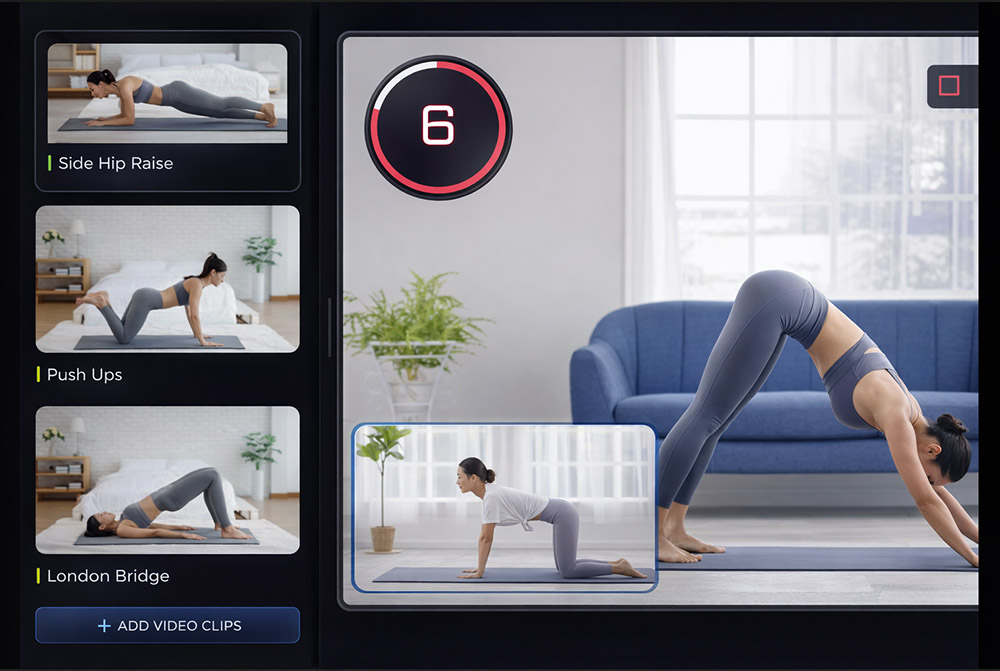
The Workflow Breakdown
Here's what it actually takes to create a single workout video in each tool.
Premiere Pro — Manual Workflow
~108 minutes total
Import all exercise clips, organize in bins
Set up sequence settings, frame rate, resolution
Drag each clip, trim to correct duration
Add cross-dissolves or cuts between exercises
Build countdown with keyframes or plugin
Create text for each exercise, position, animate
Position logo, set opacity, add throughout
Design title card or import from After Effects
Import audio, set levels, add fades
Configure export settings, render, wait

Fit Cut Pro — Automated Workflow
~10 minutes total
Add exercises, sets, durations
Clips auto-link to exercises by name
Everything assembled automatically
Save ~98 minutes per workout video
That's over 8 hours saved per week if you create 5 workouts
Feature-by-Feature Comparison
Automated fitness tools vs manual general-purpose editing — feature by feature.
| Feature | | Pr Premiere ProManual Process |
|---|---|---|
| Countdown Timer | Auto-generated from your workout plan | Build from scratch with keyframes & text layers |
| Time per Workout Video | 5 to 10 minutes | 1 to 3 hours of manual editing |
| Exercise Transitions | Automatic — clips placed by workout plan | Manual cuts, fades, and timing for every transition |
| Exercise Labels & Names | Auto-synced to each exercise | Create text layers, position, animate for each exercise |
| Logo Placement | Upload once — appears on every video | Import, position, and resize in every project |
| Workout Intro Animation | One-click dynamic intro | Design in After Effects or Essential Graphics |
| Music & Audio Mixing | Drop-in music with auto volume mixing | Manual audio levels, fading, and timing |
| Batch Production | Create multiple workouts from same clips | Start from scratch for each new workout |
| Video Quality | 4K | 4K |
Countdown Timer
Fit Cut ProAuto-generated from your workout plan
Build from scratch with keyframes & text layers
Time per Workout Video
Fit Cut Pro5 to 10 minutes
1 to 3 hours of manual editing
Exercise Transitions
Fit Cut ProAutomatic — clips placed by workout plan
Manual cuts, fades, and timing for every transition
Exercise Labels & Names
Fit Cut ProAuto-synced to each exercise
Create text layers, position, animate for each exercise
Logo Placement
Fit Cut ProUpload once — appears on every video
Import, position, and resize in every project
Workout Intro Animation
Fit Cut ProOne-click dynamic intro
Design in After Effects or Essential Graphics
Music & Audio Mixing
Fit Cut ProDrop-in music with auto volume mixing
Manual audio levels, fading, and timing
Batch Production
Fit Cut ProCreate multiple workouts from same clips
Start from scratch for each new workout
Video Quality
Fit Cut Pro4K
4K
The Verdict
Premiere Pro is a world-class editor — but manually building workout videos in it is a repetitive, time-consuming process that doesn't leverage its strengths.
Fit Cut Pro automates every repetitive step — timers, clips, labels, intros — turning a 2-hour manual process into a 10-minute automated one.
Powerful Features for Your Workouts
Empower your live & recorded workouts with professional tools
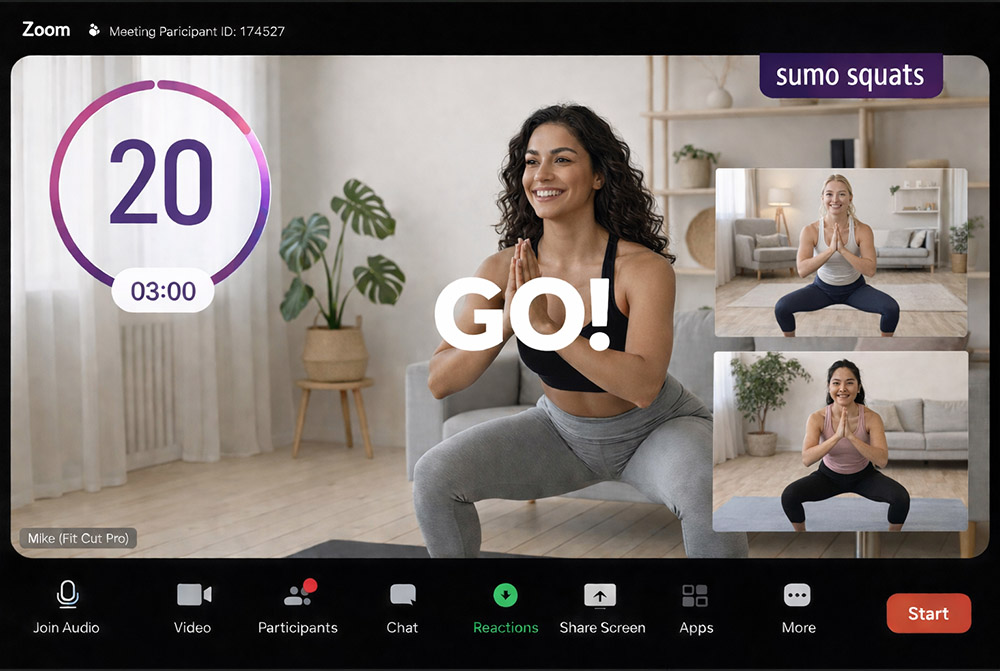
Professional Overlays for Live Zoom Workouts
All you need to do is build a workout plan & you can easily display it live on Zoom alongside automatic rich graphic animations & timer display. Get the EDGE over other online trainers NOW.
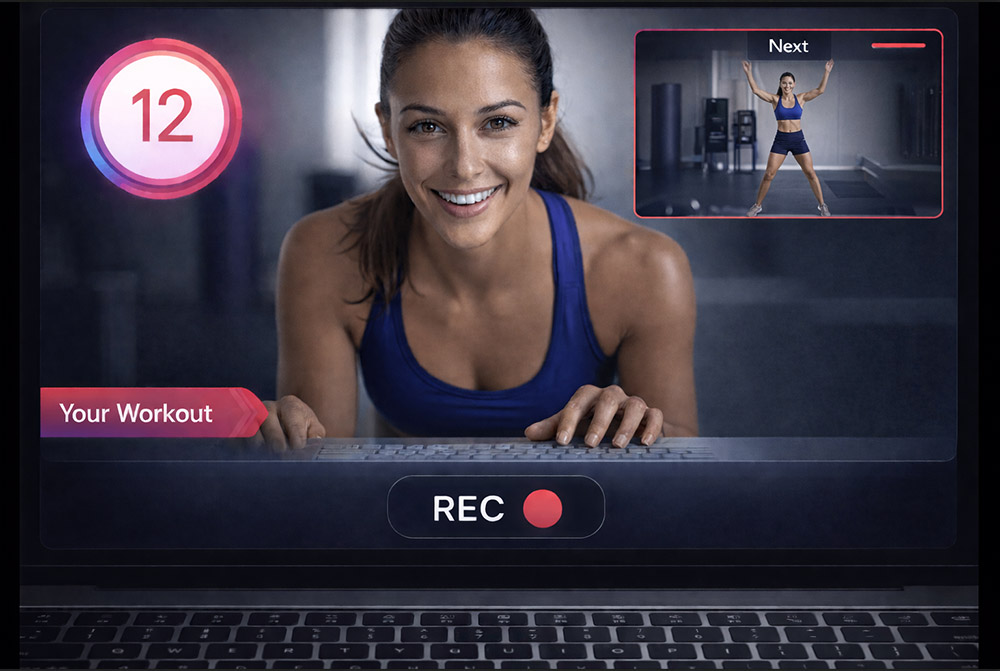
Real-time Workout Recorder/Editor
Imagine simply working out in front of your camera, while your fitness routine is playing alongside and is being recorded as you go. Once you finish the workout, the edited video file is ready to download!
Your Fitness Class to a Workout Video in a Click
Creating a fully edited workout video has never been more straightforward. Detail each exercise with sets and duration, upload footage, and export for a polished video.
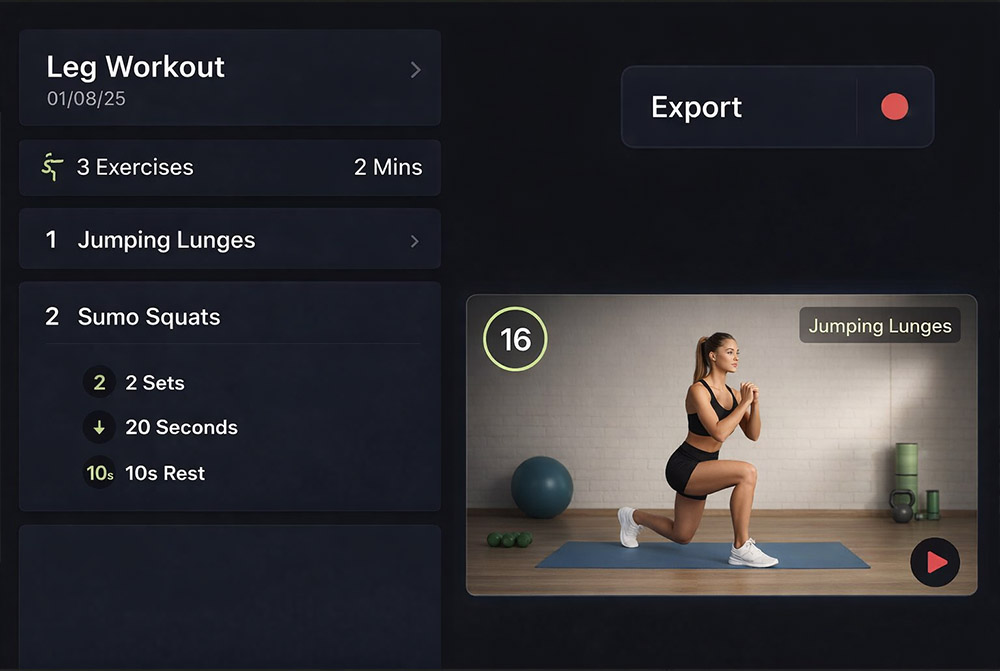
Create Workouts Automatically
After uploading your exercise clip demonstration, each exercise will be auto-linked by its name. This feature enables you to efficiently produce a comprehensive workout video by utilizing your existing exercise clips, allowing for customization of durations and repetitions. Zero video editing, minimum effort and time!