Remove Green Screen from Exercise Videos
Record your exercise demonstrations on a green screen, then swap the background for any color or image - all inside Fit Cut Pro. Clean, professional clips ready for your workouts.
No external software needed. Upload, remove, replace - done in seconds.
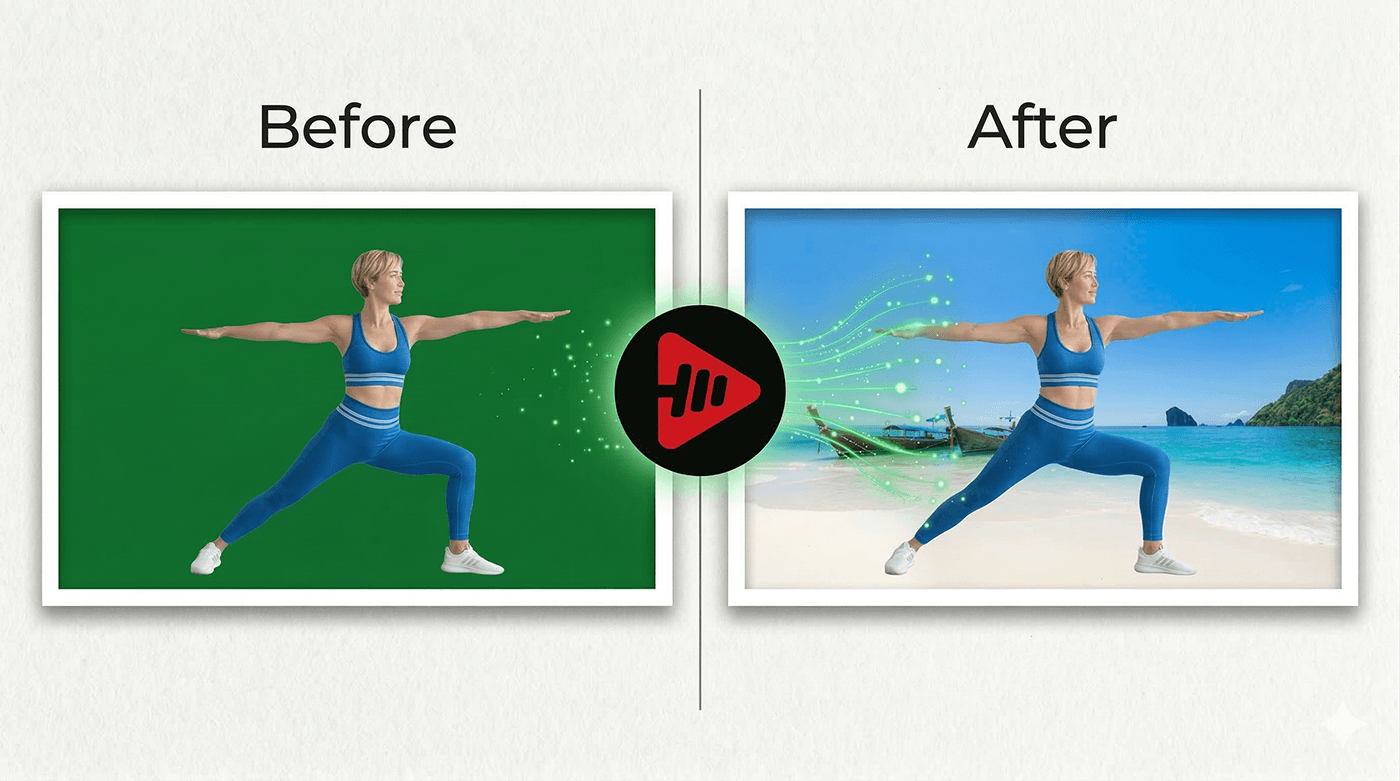
How to Remove Green Screen in 3 Steps
The entire process happens inside Fit Cut Pro. No extra tools, no editing software.
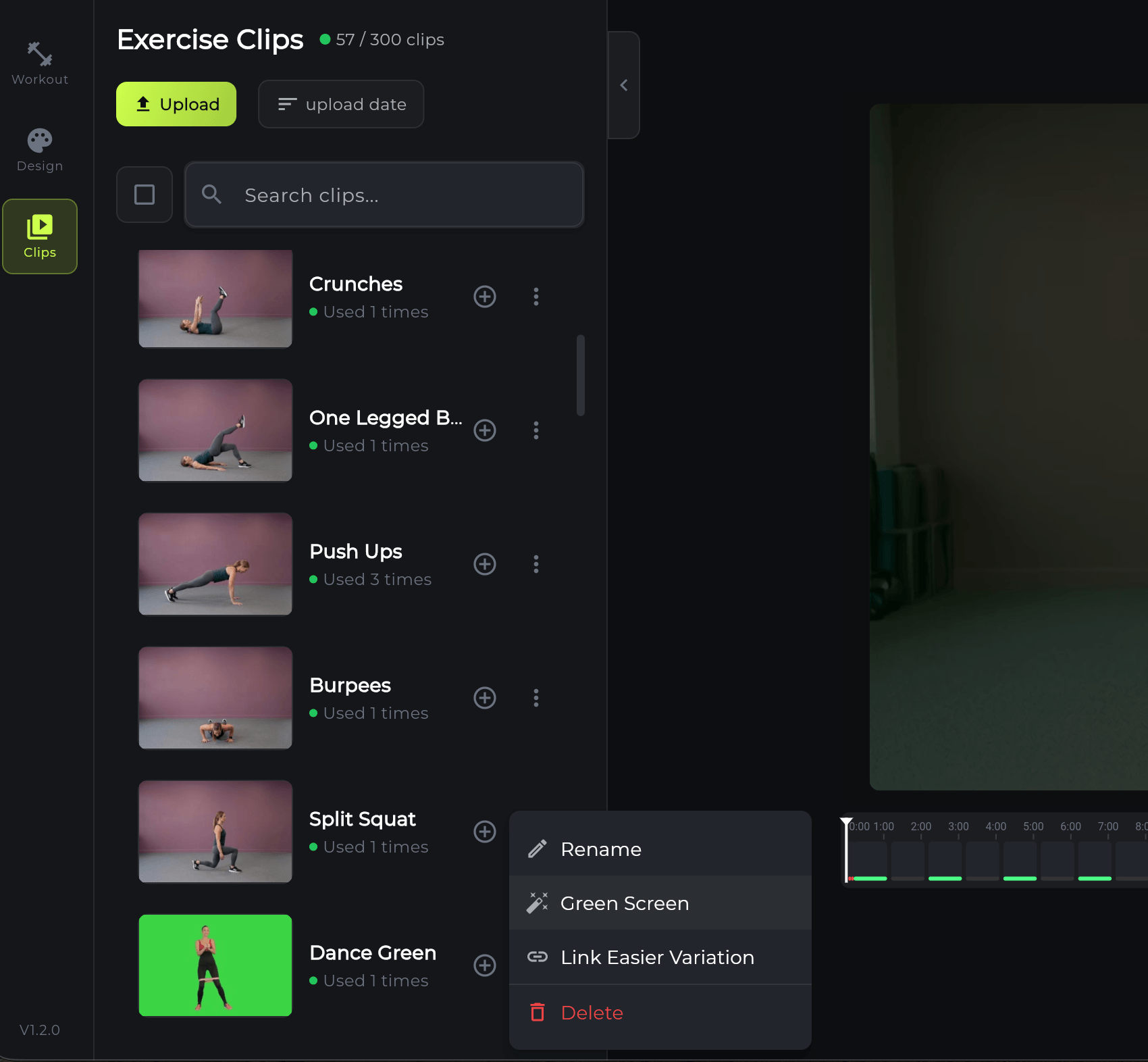
Upload & Select Green Screen
Upload your green screen exercise clip to the Clips gallery. Click the three-dot menu on the clip and select the 'Green Screen' option to open the background removal tool.
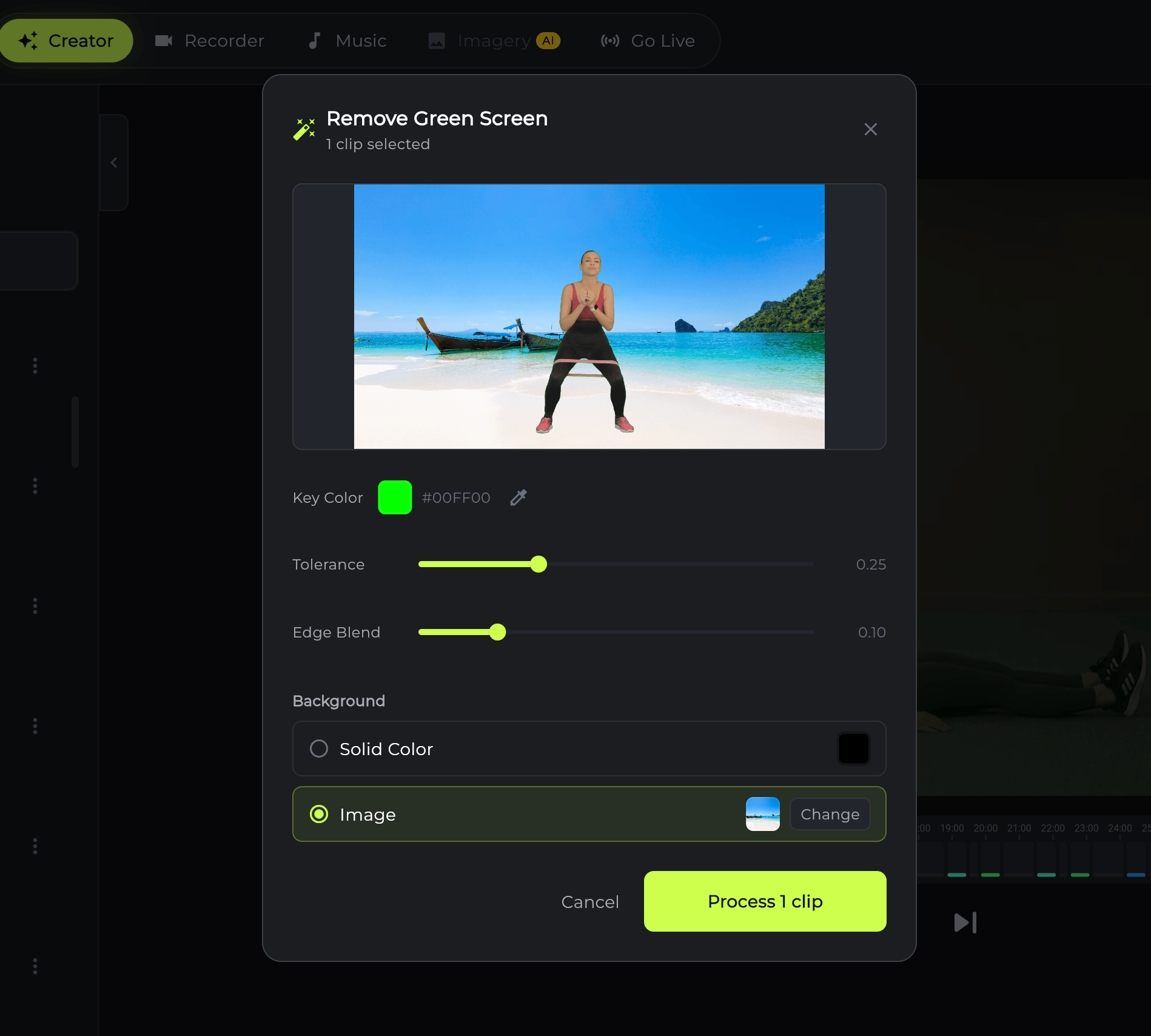
Choose Your Background
In the preview window, pick a solid background color or upload your own background image. Wait a few seconds for the preview to update with your new background, then click 'Process Clip' and let Fit Cut Pro create the edited exercise.
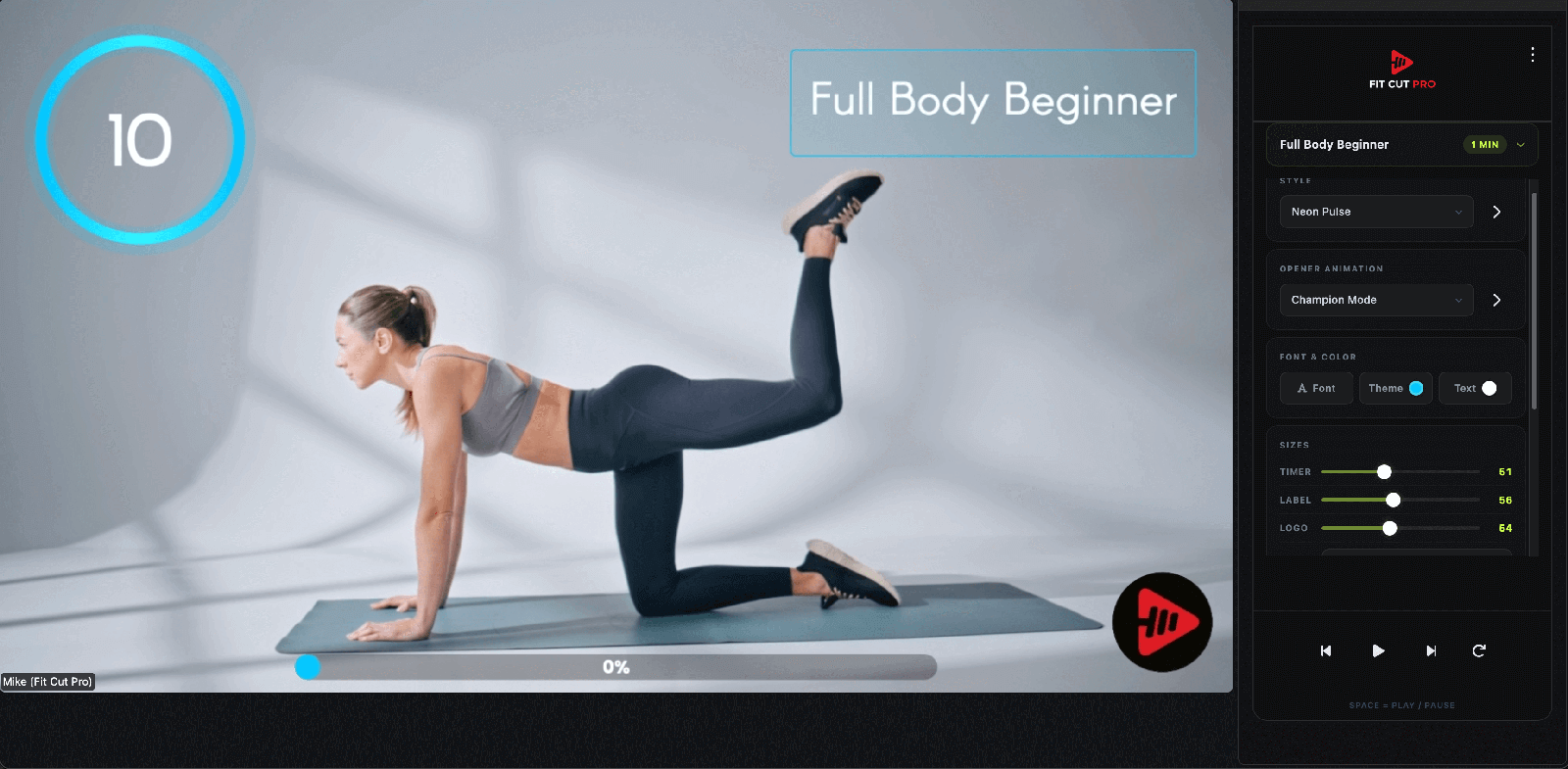
Use Your Polished Clips Anywhere
Your processed clips are ready to go. Display them as full-screen exercises in any workout, use them with the Creator to export entire workouts automatically, or show them as the next exercise preview in the Recorder and during live Zoom sessions.
Where to Use Your Processed Clips
Once the green screen is removed, your clips work everywhere in Fit Cut Pro.
Creator - Auto Export
Use your polished clips with the Creator to automatically assemble full workout videos. Each exercise clip plays with the matching timer and graphics.
Recorder - Next Exercise Preview
During recording, your processed clips appear as the next exercise preview. Trainees see a clean demonstration with your chosen background.
Zoom - Live Display
In live Zoom sessions, the processed exercise clips are displayed as overlays. Your trainees see professional demonstrations without a green backdrop.
Custom Backgrounds
Replace the green screen with your gym photo, brand colors, or any image. Every clip gets a consistent, professional look.
Full-Screen Display
Show exercise clips at full screen size in your workouts. The clean background makes each movement easy to follow.
Instant Processing
Green screen removal takes just seconds per clip. Process your entire exercise library and build a professional gallery fast.
Green Screen vs. No Green Screen
Without Green Screen Removal
- ✗Distracting gym or home backgrounds in clips
- ✗Inconsistent look across different exercises
- ✗Need external software like After Effects or OBS
- ✗Time-consuming manual editing per clip
- ✗Unprofessional appearance in final workout videos
With Fit Cut Pro Green Screen
- ✓Clean, consistent backgrounds across all clips
- ✓Choose brand colors or custom images
- ✓Everything happens inside Fit Cut Pro
- ✓Processing takes seconds per clip
- ✓Professional-quality clips ready for any workout