2026 GUIDE

Best Workout Video Maker for Personal Trainers

Stop spending hours in generic video editors. Fit Cut Pro is the only video tool built specifically for fitness professionals — with automatic timers, exercise labels, and one-click export.

Used by personal trainers worldwide to produce professional workout content at scale.

Built for fitness Videos in minutes 7-day free trial

What Personal Trainers Actually Need in a Video Maker

Generic video editors aren't built for workout content. Here's why fitness professionals need a specialized tool.

Automatic Countdown Timers

Your workout plan drives the timers. Exercise duration, rest periods, and round counts — all displayed with rich graphics, automatically.

Exercise Labels & Cues

Exercise names, set numbers, and next-up previews appear on screen. No manual text design for each exercise.

Consistent Branding

Upload your logo once. It's applied to every video automatically, along with your custom intro screen and color scheme.

Exercise Clip Library

Upload exercise clips once, tag them by name, and reuse across unlimited videos. Your library grows over time.

Licensed Music

Built-in library of copyright-safe tracks. Mix music volume with your voice cues and preview before exporting.

Browser-Based — No Install

Everything runs in your web browser. No downloads, no updates, no compatibility issues. Works on Mac, Windows, and Chromebook.

Three Ways to Create Workout Videos

Fit Cut Pro gives you multiple creation modes — pick the one that fits your workflow.

Mode 1

Workout Creator

Build a workout plan with exercises, durations, and rest periods. Upload your exercise clips and Fit Cut Pro assembles a fully edited video — complete with timers, labels, and transitions.
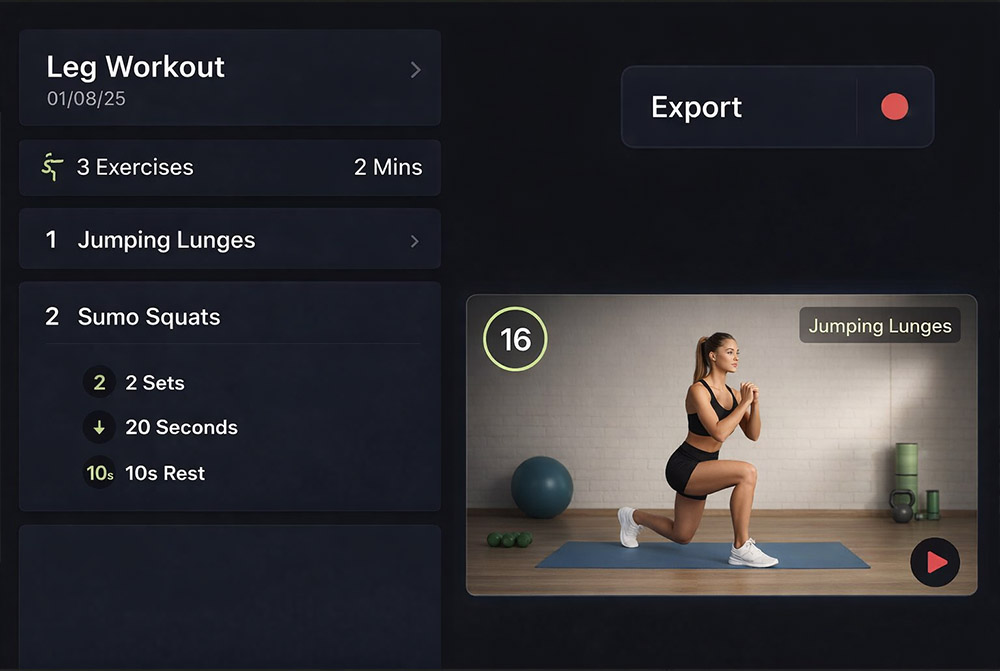
Workout Creator in Fit Cut Pro
Mode 2

Real-Time Recorder

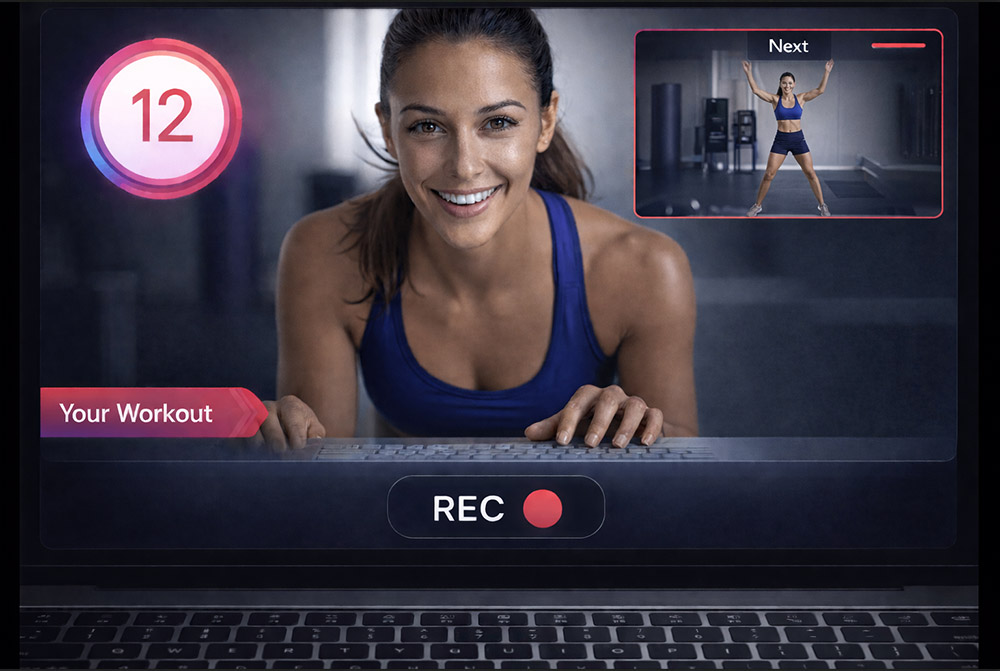
Work out in front of your camera while the routine plays alongside with graphic overlays. When you finish, the edited video is ready to download — with timers, labels, and your branding already applied.

Real-Time Workout Recorder
Mode 3

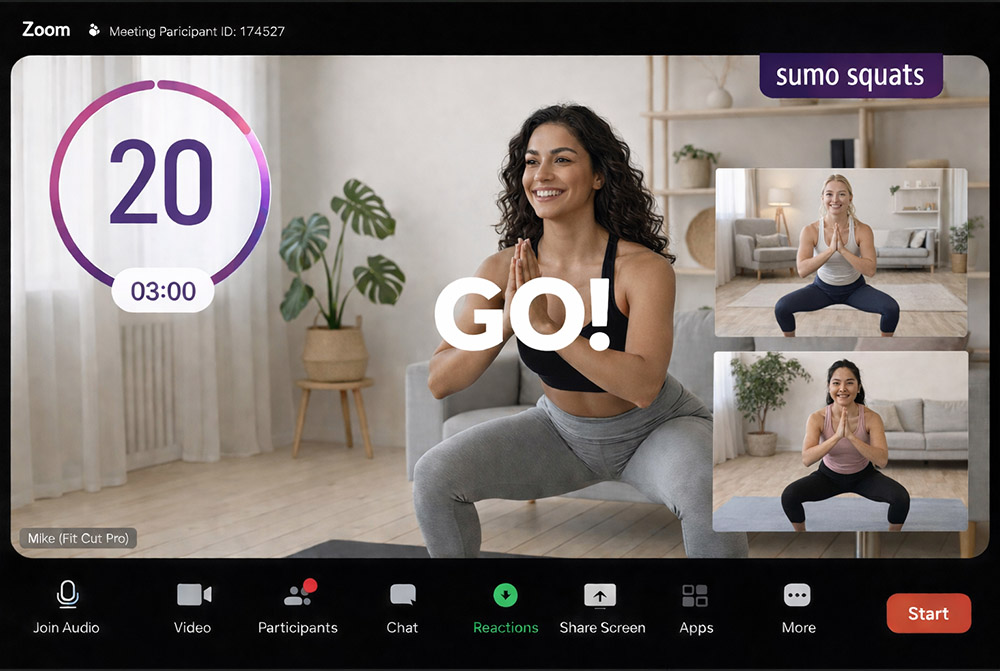
Live Zoom Timer Overlay

Teaching live on Zoom? Display your workout plan as rich graphic overlays directly on your Zoom camera — with countdown timers, exercise names, and next-up previews that your participants see in real time.

Live Zoom Timer Overlay

How Does Fit Cut Pro Compare?

There are many ways to create workout videos. Here's how the options stack up.

Generic Video Editors

Premiere Pro, Final Cut, DaVinci Resolve

Full creative control
Steep learning curve, hours per video, no fitness-specific tools

Simple Video Apps

iMovie, CapCut, Canva

Easy to start
No countdown timers, no workout plan integration, manual work for every video

Freelance Editors

Fiverr, Upwork

Hands-off
$50-200+ per video, days of turnaround, no instant revisions
Fit Cut Pro

Fit Cut Pro

Built for Fitness Professionals

Automatic timers, exercise labels, branding, licensed music, and up to 4K export — all from a workout plan, with zero editing skills required. From $49.99/month.

Frequently Asked Questions

Listen to Personal Trainers who use it:

These are 100% genuine testimonials from online trainers using our product extensively.

Testimonial

"Fit Cut Pro helps me create 5 workouts a week, in a few minutes. You should really give it a go."

Mathieu

Online Personal Trainer

Testimonial

"Fit Cut Pro made my online classes look more professional and organized. My clients love it!"

Pedro

Fitness Coach

Testimonial

"Recording workouts is so easy now—no more video editing hassles. I save so much time!"

Michela

Personal Trainer

Testimonial

"I highly recommend this program; the timer, countdown, and custom logo look very professional."

Helen

Personal Trainer

Testimonial

"Fit Cut Pro saved me lots of time and it looks really professional and my clients have been really enjoying it."

Maggie

Personal Trainer

FREE 7-DAY TRIAL

The Workout Video Maker You've Been Waiting For

Professional workout videos in minutes, not hours. Join hundreds of personal trainers already using Fit Cut Pro.