Short answer
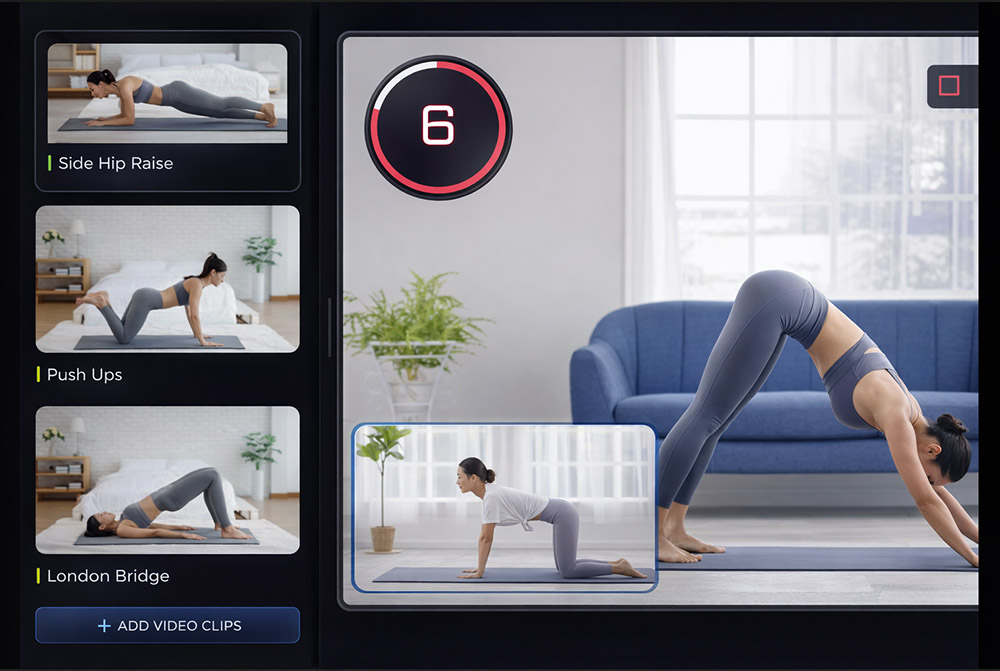
DaVinci Resolve is a professional editing, colour and audio suite with a free version; workout timers and labels are manual keyframe work. Fit Cut Pro generates the countdown timers, exercise names, rest screens and branding automatically, runs in the browser, adds a Zoom overlay for live classes, and exports MP4 up to 4K. Plans from $49.99 per month with a 14-day free trial.
| Fit Cut Pro | DaVinci Resolve | |
|---|---|---|
| Countdown timers and exercise names | Generated from your workout plan | Manual Fusion titles and keyframes |
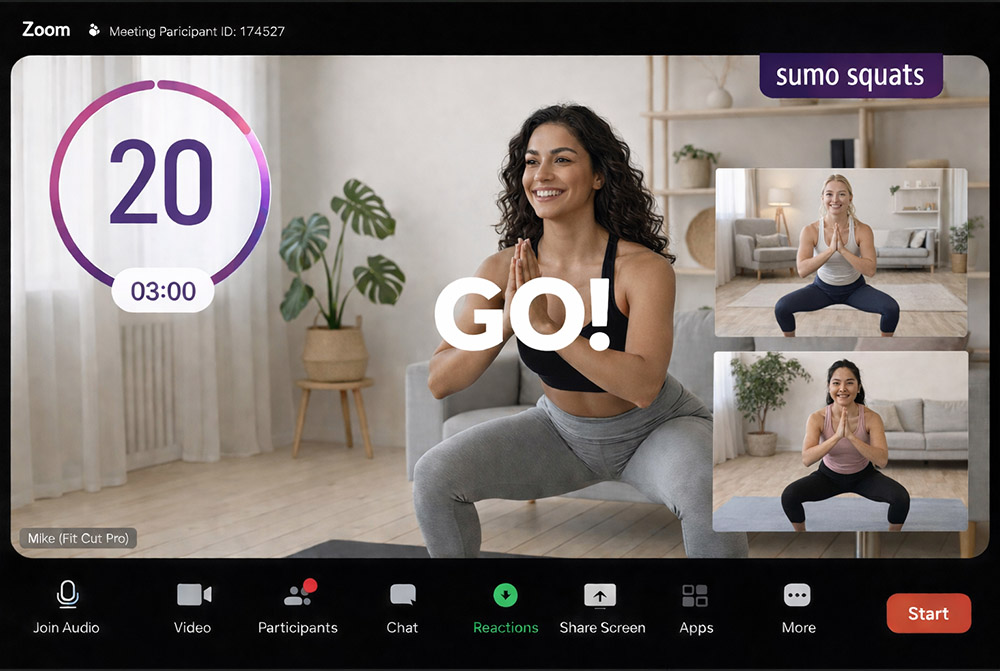
| Live overlay inside Zoom | Yes, the Go Live Zoom app | No |
| Edit a class you already filmed | AI Editor detects every exercise and rest | Manual cutting |
| Learning curve | Minutes, no editing skills | Weeks; a professional suite |
| Price | $49.99, $99.99 or $199.99 per month; 14-day free trial | Free version; paid Studio edition |
| Best for | Trainers publishing follow-along workouts every week | Colour grading, audio post and full NLE work |
When DaVinci Resolve is the better choice: DaVinci Resolve is the better choice if you need colour grading, Fairlight audio or a full editing suite and have the time to learn it.
Frequently asked questions
- DaVinci Resolve is free, so why pay for Fit Cut Pro?
- Resolve is free software but each workout video costs hours of manual timer and label work. Fit Cut Pro turns a plan or a recording into a finished video in minutes and includes 10 to 100 videos per month from $49.99.
- Can Fit Cut Pro match Resolve on quality?
- For workout videos, yes: 4K MP4 with consistent timers, labels, branding and licensed music. Resolve wins for colour grading and audio post, which most follow-along videos do not need.
- Does Fit Cut Pro need a powerful computer?
- No. Videos render on Fit Cut Pro servers; any laptop with a browser works. Resolve needs a capable GPU.
- Can Fit Cut Pro edit a class I already filmed?
- Yes. The AI Editor detects every exercise and rest in one continuous recording and adds the timers and names for you.
- Is there a live option?
- Yes. The Go Live Zoom app shows the same timer overlay in Zoom classes. Resolve has no live mode.
Side-by-Side Comparison
See how Fit Cut Pro stacks up against DaVinci Resolve for creating professional workout videos.
| Feature |  | DR DaVinci ResolveProfessional Suite |
|---|---|---|
| Countdown Timer | Automatically edited by your workout plan | Build manually in Fusion — very complex |
| Editing Time | 5 to 10 minutes / workout | 2 to 5 hours / workout |
| Next Exercise Clip | Once uploaded, showing automatically | Manual timeline placement for each clip |
| Modified Exercise Clip | Once uploaded & linked - automatic | Re-edit each instance on the timeline |
| Logo | Simply upload once for all videos | Add to each project timeline |
| Workout Intro | Automatic dynamic animation | Build from scratch in Fusion (complex) |
| Music | Full commercial copyrights (Soon) | No built-in music library |
| Exercise Labels | Automatic display and easy to style | Manual title creation & positioning |
| Learning Curve | Minimal — designed for fitness pros | Steep — professional-level software |
| Video Quality | 4K | 8K+ with color grading |
Countdown Timer
Fit Cut ProAutomatically edited by your workout plan
Build manually in Fusion — very complex
Editing Time
Fit Cut Pro5 to 10 minutes / workout
2 to 5 hours / workout
Next Exercise Clip
Fit Cut ProOnce uploaded, showing automatically
Manual timeline placement for each clip
Modified Exercise Clip
Fit Cut ProOnce uploaded & linked - automatic
Re-edit each instance on the timeline
Logo
Fit Cut ProSimply upload once for all videos
Add to each project timeline
Workout Intro
Fit Cut ProAutomatic dynamic animation
Build from scratch in Fusion (complex)
Music
Fit Cut ProFull commercial copyrights (Soon)
No built-in music library
Exercise Labels
Fit Cut ProAutomatic display and easy to style
Manual title creation & positioning
Learning Curve
Fit Cut ProMinimal — designed for fitness pros
Steep — professional-level software
Video Quality
Fit Cut Pro4K
8K+ with color grading
The Verdict
DaVinci Resolve is an incredible tool for filmmakers who need professional color grading and VFX — but it's massive overkill for workout videos, with a steep learning curve to match.
Fit Cut Pro is purpose-built for fitness professionals — automated timers, exercise clips, and labels mean you create polished workout videos in minutes, not hours.
Powerful Features for Your Workouts
Empower your live & recorded workouts with professional tools
Professional Overlays for Live Zoom Workouts
All you need to do is build a workout plan & you can easily display it live on Zoom alongside automatic rich graphic animations & timer display. Get the EDGE over other online trainers NOW.
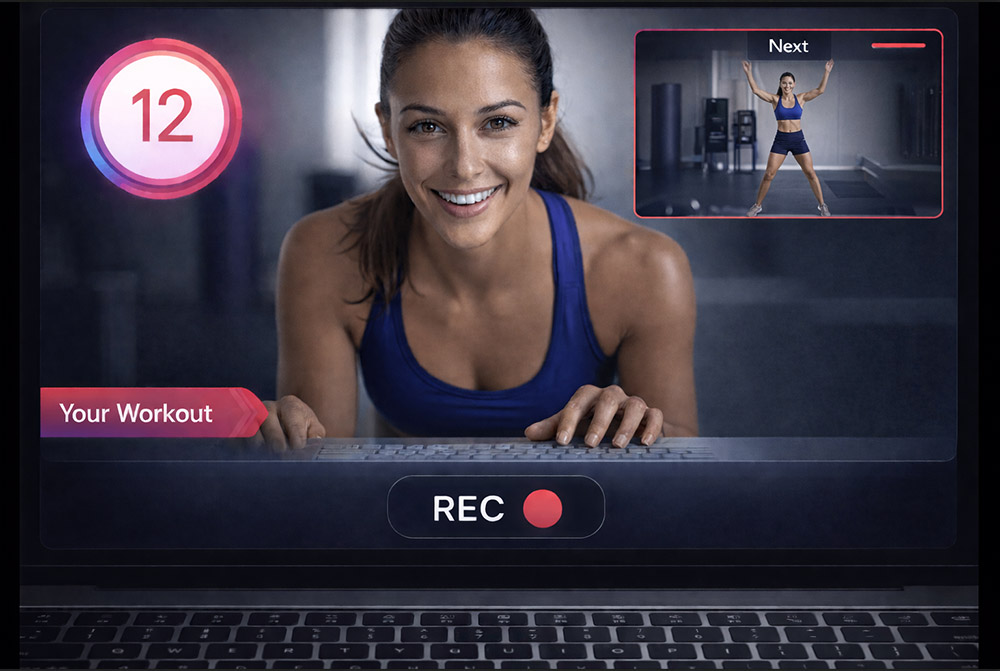
Real-time Workout Recorder/Editor
Imagine simply working out in front of your camera, while your fitness routine is playing alongside and is being recorded as you go. Once you finish the workout, the edited video file is ready to download!
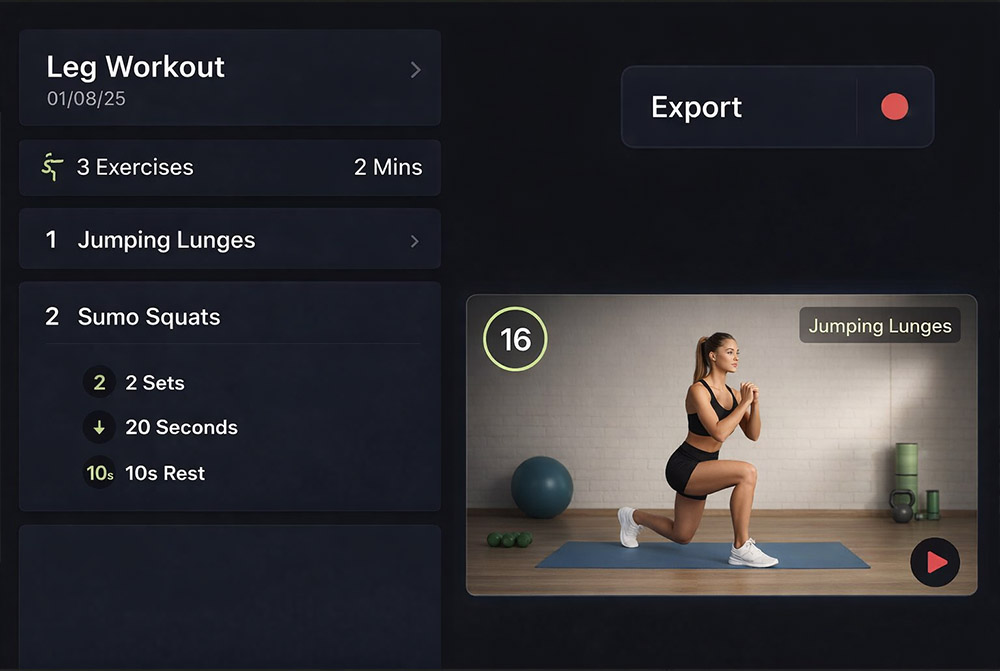
Your Fitness Class to a Workout Video in a Click
Creating a fully edited workout video has never been more straightforward. Detail each exercise with sets and duration, upload footage, and export for a polished video.
Create Workouts Automatically
After uploading your exercise clip demonstration, each exercise will be auto-linked by its name. This feature enables you to efficiently produce a comprehensive workout video by utilizing your existing exercise clips, allowing for customization of durations and repetitions. Zero video editing, minimum effort and time!