Film Your Workout Once.
The AI Edits It.
The Fit Cut Pro AI Editor turns one continuous recording of your class into a finished workout video. Upload the file from your phone or any camera (MP4 or MOV, up to 25 GB); the AI finds each exercise and rest and lays countdown timers, exercise names, next-exercise previews and your logo over the footage. Check the cues, pick a design, export the MP4. Included in every plan and in the 14-day free trial.
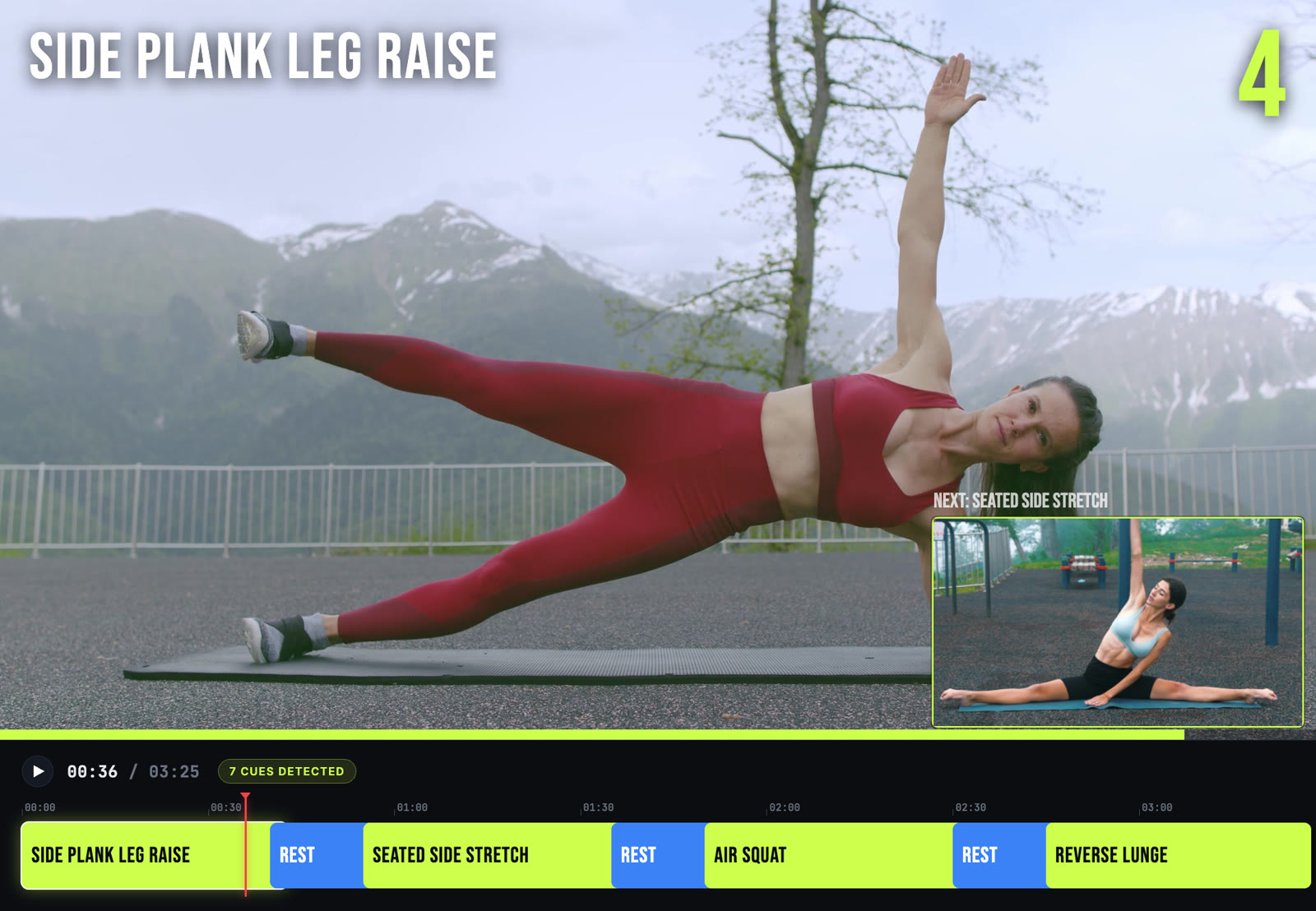
Made for the video you already have
Most trainers do not film exercise by exercise. They press record, run the class, and end up with a forty-minute file that would take an evening to cut, label and time in a normal editor. The Editor is built for exactly that file.
The AI watches the recording the way a human editor would, marks where each exercise starts and ends, names it, and spots the rests in between. You get a list of cues on a timeline, not a blank project. Fix a name, drag a boundary, split a set, and export.
How it works
Upload the recording
One MP4 or MOV, straight from your phone or camera, up to 25 GB. The upload runs while you keep working.
Let the AI detect the workout
A few minutes later every exercise and rest is marked and labelled. A 30-minute class usually takes under five minutes to analyse.
Review the cues
Rename an exercise, move a boundary, add or delete a cue, mark a section as no timer. The preview shows the overlay exactly as it will export.
Pick a look and export
Choose from all Fit Cut Pro design styles, your colours, font and logo. The MP4 renders on our servers and lands in your Exported library and your downloads.
How to Add Timers to a Workout Video Automatically
Upload one continuous recording of your class. The AI Editor finds every exercise and rest, adds countdown timers, exercise names, a next-up window and your logo, and exports the finished MP4 — no timeline editing.
What the Editor adds to your footage
Countdown timers
A timer for every set and rest, drawn in the design style you choose, synced to what actually happens in the video.
Exercise names
Every exercise labelled on screen, with the name the AI recognised or the one you type.
Next-exercise preview
In the last seconds of a rest, a small window shows the next exercise so nobody scrambles to catch up.
Rest screens and beeps
Rest periods get a clear countdown and next-up label, with transition beeps mixed over your own audio.
Your branding
Your logo, theme colour, text colour and font, the same design settings you already use in the Creator.
New clips for your library
Exercises the AI found that are not yet in your Clips can be cut out and added to your library in one click.
Plans and limits
Recordings up to 30 minutes on the trial and Starter, 60 minutes on Pro and 90 minutes on Ultimate. Each export counts as one of your plan's monthly workout videos. Files up to 25 GB, MP4 or MOV, landscape or portrait.