Short answer
Canva is a design tool with a simple video editor and templates; it has no workout timers that count real sets and rests. Fit Cut Pro is built for workout videos: countdown timers, exercise names, rest screens and your branding generated from the plan, a Zoom overlay for live classes, and 4K MP4 export. Plans from $49.99 per month with a 14-day free trial.
| Fit Cut Pro | Canva | |
|---|---|---|
| Countdown timers and exercise names | Generated from your workout plan | Static templates; no timed sets |
| Live overlay inside Zoom | Yes, the Go Live Zoom app | No |
| Edit a class you already filmed | AI Editor detects every exercise and rest | No |
| Learning curve | Minutes, no editing skills | Minutes for graphics, hours for a timed video |
| Price | $49.99, $99.99 or $199.99 per month; 14-day free trial | Free tier, paid Pro plan |
| Best for | Trainers publishing follow-along workouts every week | Thumbnails, social graphics and simple promo videos |
When Canva is the better choice: Canva is the better choice for thumbnails, posts, stories and simple promo videos that do not need timed sets and rests.
Frequently asked questions
- Can Canva make a follow-along workout video with a countdown?
- Not in a practical way. Canva has no interval timer; you would animate numbers by hand for each set. Fit Cut Pro generates the timers from your plan.
- Should I use Canva and Fit Cut Pro together?
- Many trainers do: Fit Cut Pro for the workout videos and thumbnails, Canva for posts and stories. Fit Cut Pro also generates thumbnails from a frame of your own clip with FIT AI.
- Does Fit Cut Pro have templates like Canva?
- It has design styles for the timer and labels with your colours, font and logo applied to every video, so your channel looks consistent without templates.
- What does Fit Cut Pro cost compared with Canva Pro?
- Fit Cut Pro is $49.99, $99.99 or $199.99 per month with 10, 40 or 100 workout videos included and a 14-day free trial. Canva has a free tier and a paid Pro plan.
- Can Fit Cut Pro stream a timer in Zoom?
- Yes, through the Go Live Zoom app. Canva has no live mode.
Side-by-Side Comparison
See how Fit Cut Pro stacks up against Canva for creating professional workout videos.
| Feature |  |  CanvaDesign Platform CanvaDesign Platform |
|---|---|---|
| Countdown Timer | Automatically edited by your workout plan | No workout timer. Manual graphics only. |
| Editing Time | 5 to 10 minutes / workout | 2 to 4 hours per workout |
| Next Exercise Clip | Once uploaded, showing automatically | Manual positioning for each clip |
| Modified Exercise Clip | Once uploaded & linked - automatic | Manual editing for each modification |
| Logo | Simply upload once for all videos | Add to each video manually |
| Workout Intro | Automatic dynamic animation | Template-based, manual customization |
| Music | Full commercial copyrights (Soon) | Limited library, some royalty-free |
| Exercise Labels | Automatic display and easy to style | Manual text overlay creation |
| Video Quality | 4K | 1080p max |
Countdown Timer
Fit Cut ProAutomatically edited by your workout plan
CanvaNo workout timer. Manual graphics only.
Editing Time
Fit Cut Pro5 to 10 minutes / workout
Canva2 to 4 hours per workout
Next Exercise Clip
Fit Cut ProOnce uploaded, showing automatically
CanvaManual positioning for each clip
Modified Exercise Clip
Fit Cut ProOnce uploaded & linked - automatic
CanvaManual editing for each modification
Logo
Fit Cut ProSimply upload once for all videos
CanvaAdd to each video manually
Workout Intro
Fit Cut ProAutomatic dynamic animation
CanvaTemplate-based, manual customization
Music
Fit Cut ProFull commercial copyrights (Soon)
CanvaLimited library, some royalty-free
Exercise Labels
Fit Cut ProAutomatic display and easy to style
CanvaManual text overlay creation
Video Quality
Fit Cut Pro4K
Canva1080p max
Powerful Features for Your Workouts
Empower your live & recorded workouts with professional tools
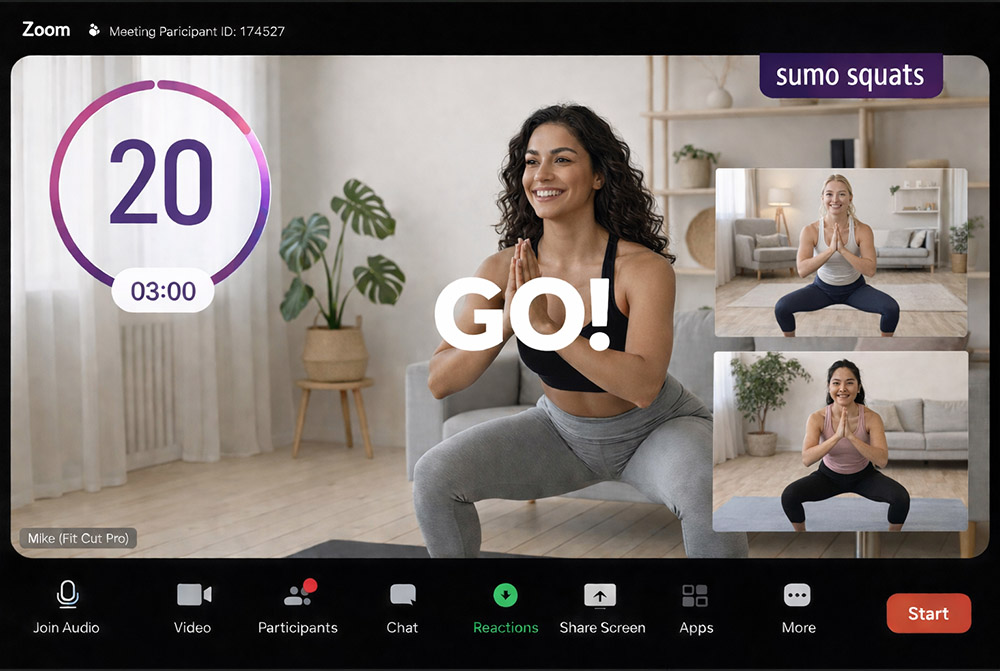
Professional Overlays for Live Zoom Workouts
All you need to do is build a workout plan & you can easily display it live on Zoom alongside automatic rich graphic animations & timer display. Get the EDGE over other online trainers NOW.
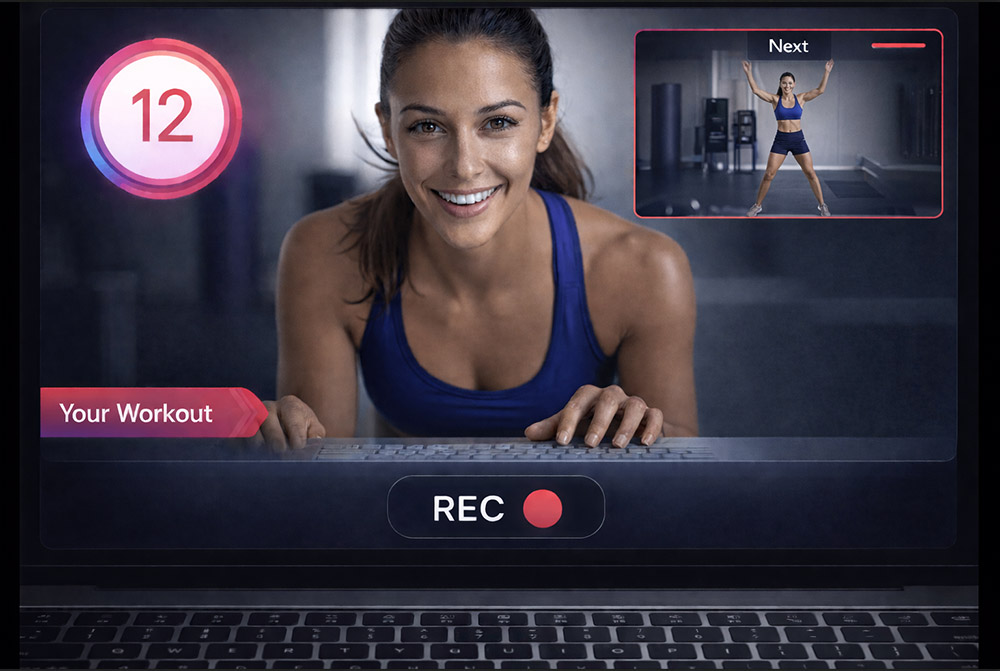
Real-time Workout Recorder/Editor
Imagine simply working out in front of your camera, while your fitness routine is playing alongside and is being recorded as you go. Once you finish the workout, the edited video file is ready to download!
Your Fitness Class to a Workout Video in a Click
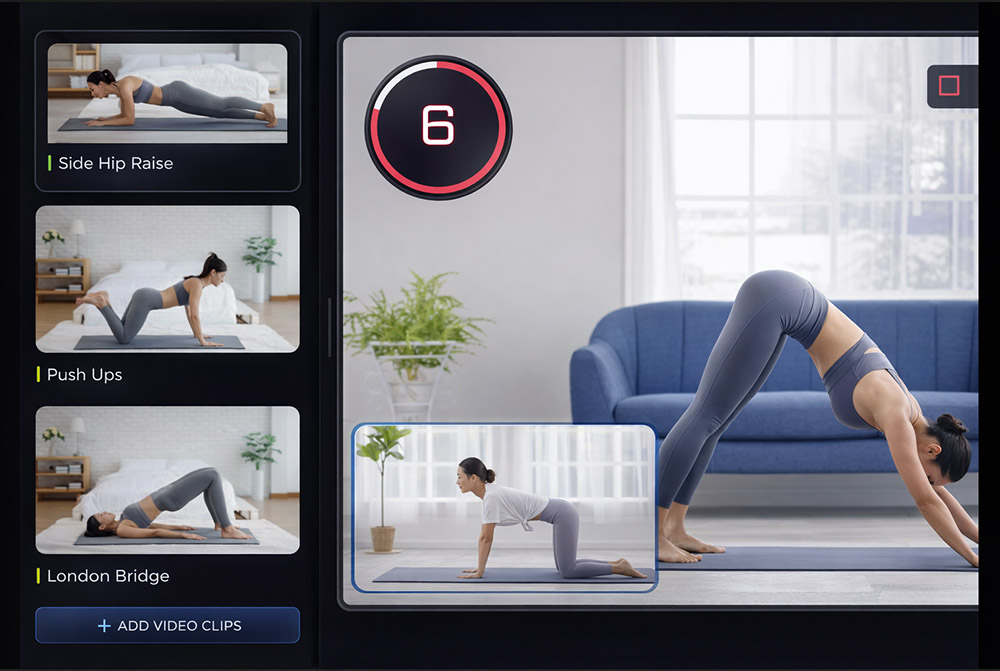
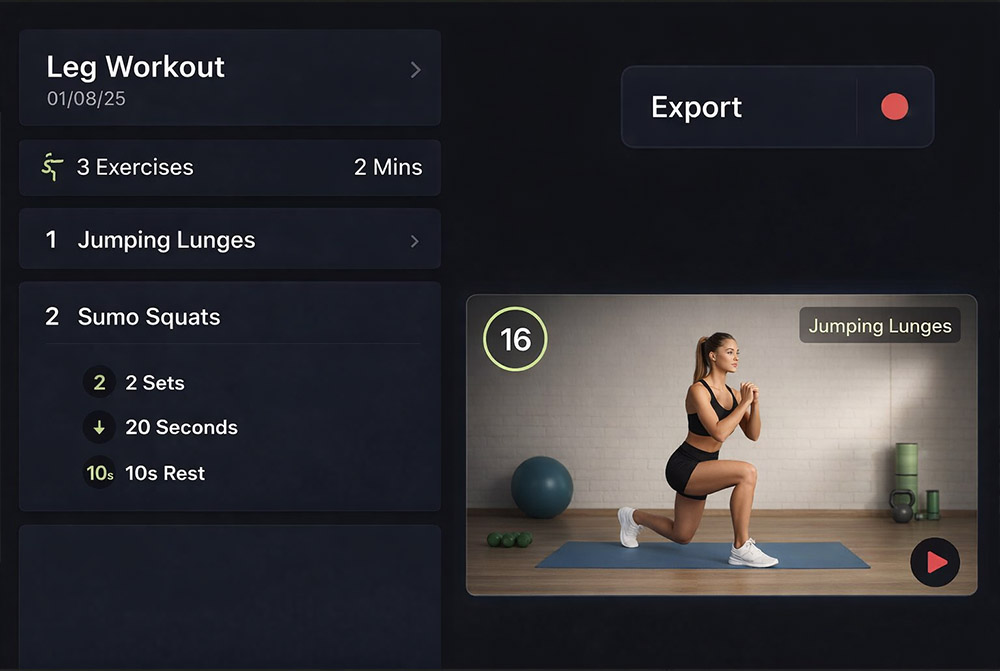
Creating a fully edited workout video has never been more straightforward. Detail each exercise with sets and duration, upload footage, and export for a polished video.
Create Workouts Automatically
After uploading your exercise clip demonstration, each exercise will be auto-linked by its name. This feature enables you to efficiently produce a comprehensive workout video by utilizing your existing exercise clips, allowing for customization of durations and repetitions. Zero video editing, minimum effort and time!