Short answer
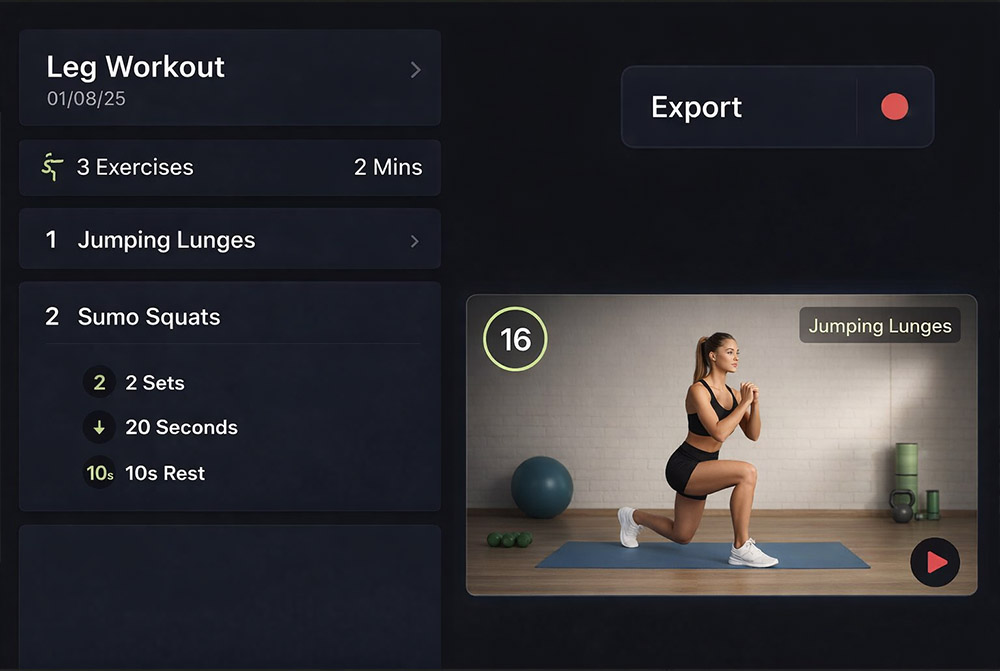
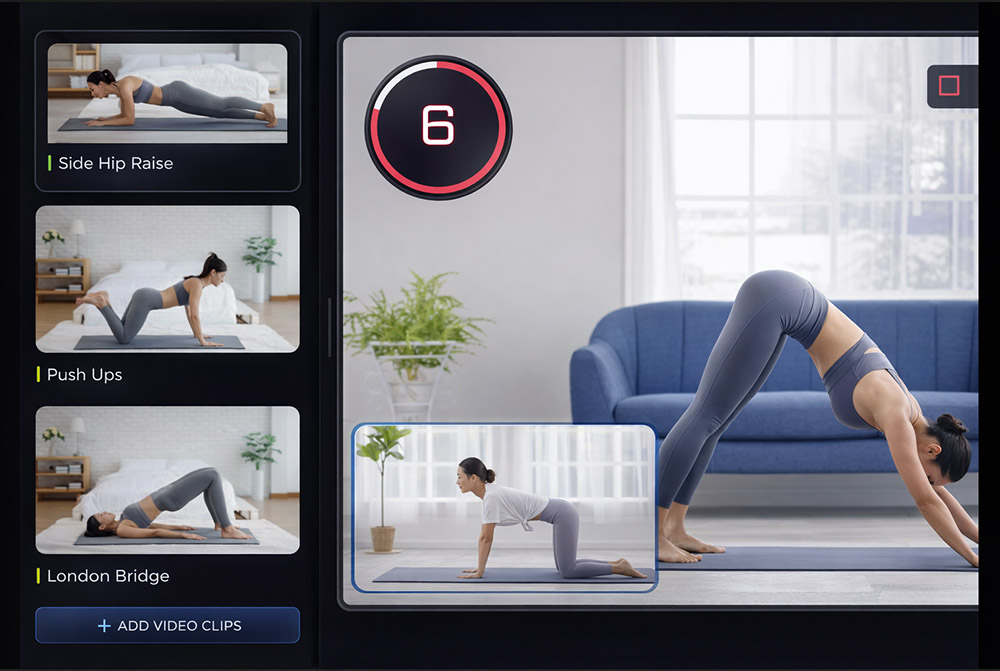
Kapwing is a browser-based general editor for social content; workout timers and labels are manual layers. Fit Cut Pro generates countdown timers, exercise names and rest screens from your plan or from a recording with the AI Editor, adds licensed music and branding, and exports MP4 up to 4K. Plans from $49.99 per month with a 14-day free trial.
| Fit Cut Pro | Kapwing | |
|---|---|---|
| Countdown timers and exercise names | Generated from your workout plan | Manual text and timer layers per set |
| Live overlay inside Zoom | Yes, the Go Live Zoom app | No |
| Edit a class you already filmed | AI Editor detects every exercise and rest | Manual cutting |
| Learning curve | Minutes, no editing skills | Easy for social clips, slow for timed sets |
| Price | $49.99, $99.99 or $199.99 per month; 14-day free trial | Free tier with limits, paid plans |
| Best for | Trainers publishing follow-along workouts every week | Subtitles, memes and team collaboration on social videos |
When Kapwing is the better choice: Kapwing is the better choice for subtitles, meme-style edits and team collaboration on general social videos.
Frequently asked questions
- Can Kapwing make a follow-along workout video?
- It can edit one, but every countdown, exercise name and rest screen is a layer you place and sync per set. Fit Cut Pro generates them from the workout plan or the recording.
- Both run in the browser. What is different?
- Kapwing is a general timeline editor. Fit Cut Pro has no timeline: you plan sets or upload a recording and the workout graphics are produced for you, plus a Zoom live mode.
- Which is cheaper per workout video?
- Fit Cut Pro includes 10, 40 or 100 videos per month for $49.99, $99.99 or $199.99 and each takes minutes. Kapwing is priced for general editing and a timed workout still takes hours of layer work.
- Does Fit Cut Pro export 4K?
- Yes, MP4 up to 4K, landscape or portrait.
- Is there a free trial?
- Yes. 14 days with 5 workout videos, no credit card.
Side-by-Side Comparison
Fit Cut Pro vs Kapwing for personal trainers creating workout videos.
| Feature |  | K KapwingSocial Video Editor |
|---|---|---|
| Workout Plan to Video | Build a workout plan; export a fully edited video | General social editor; no workout plan concept |
| Editing Time | ~5 minutes per workout video | 1 to 3 hours per workout video |
| Automatic Countdown Timers | Generated from your plan — every round, rest, rep | Must add a timer element manually per video |
| Exercise Clip Library | Cloud library with auto-linking by exercise name | Manual upload for every clip in every project |
| Live Zoom / Teams Overlay | Virtual camera with live workout graphics | Not supported |
| AMRAP / Circuit Display | All exercises + rep counts + video clips on one screen | Not supported |
| Subtitles / Auto-Captions | Not the focus — workout graphics take priority | Strong subtitle and caption workflow |
| Instagram Reel / TikTok Export | 9:16 export with fitness-first aspect ratio and overlays | 9:16 templates for general social content |
| Built for Personal Trainers | Every feature designed around workout production | General-purpose social-media tool |
Workout Plan to Video
Fit Cut ProBuild a workout plan; export a fully edited video
General social editor; no workout plan concept
Editing Time
Fit Cut Pro~5 minutes per workout video
1 to 3 hours per workout video
Automatic Countdown Timers
Fit Cut ProGenerated from your plan — every round, rest, rep
Must add a timer element manually per video
Exercise Clip Library
Fit Cut ProCloud library with auto-linking by exercise name
Manual upload for every clip in every project
Live Zoom / Teams Overlay
Fit Cut ProVirtual camera with live workout graphics
Not supported
AMRAP / Circuit Display
Fit Cut ProAll exercises + rep counts + video clips on one screen
Not supported
Subtitles / Auto-Captions
Fit Cut ProNot the focus — workout graphics take priority
Strong subtitle and caption workflow
Instagram Reel / TikTok Export
Fit Cut Pro9:16 export with fitness-first aspect ratio and overlays
9:16 templates for general social content
Built for Personal Trainers
Fit Cut ProEvery feature designed around workout production
General-purpose social-media tool
The Verdict
Kapwing is a solid browser-based video editor for general social-media creators — captions, memes, brand templates. But a personal trainer still has to build every workout from scratch, time every countdown manually, and drag every clip into every project.
Fit Cut Pro turns a workout plan into a finished video automatically — plus live Zoom overlays and AMRAP displays that no general-purpose tool offers.
Powerful Features for Your Workouts
Empower your live & recorded workouts with professional tools
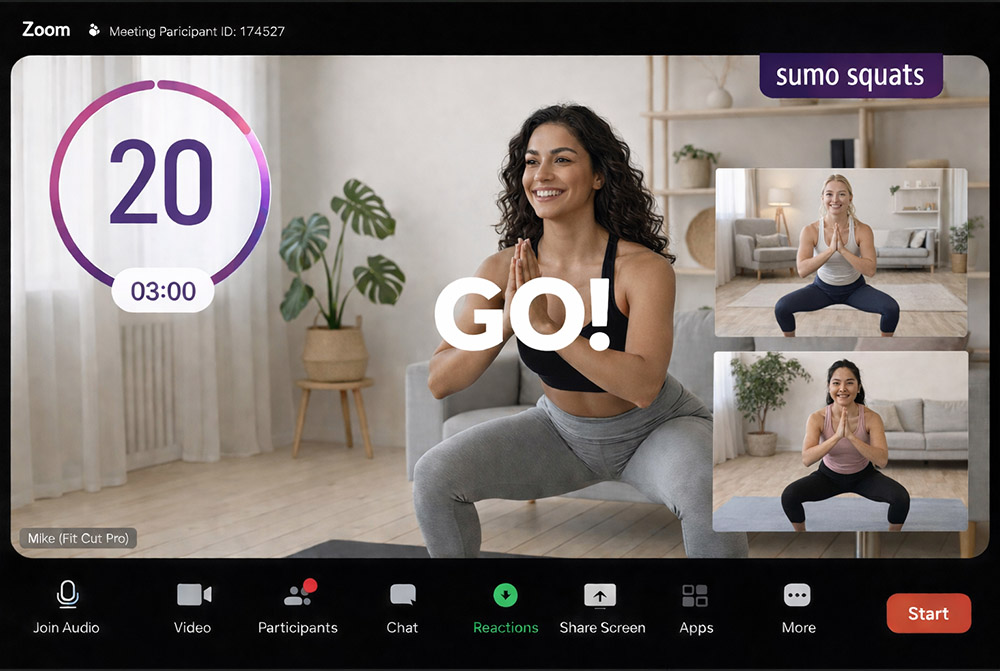
Professional Overlays for Live Zoom Workouts
Build a workout plan and display it live on Zoom with automatic rich graphic animations and timer display. Kapwing is strictly an asynchronous editor — no live video-call integration.
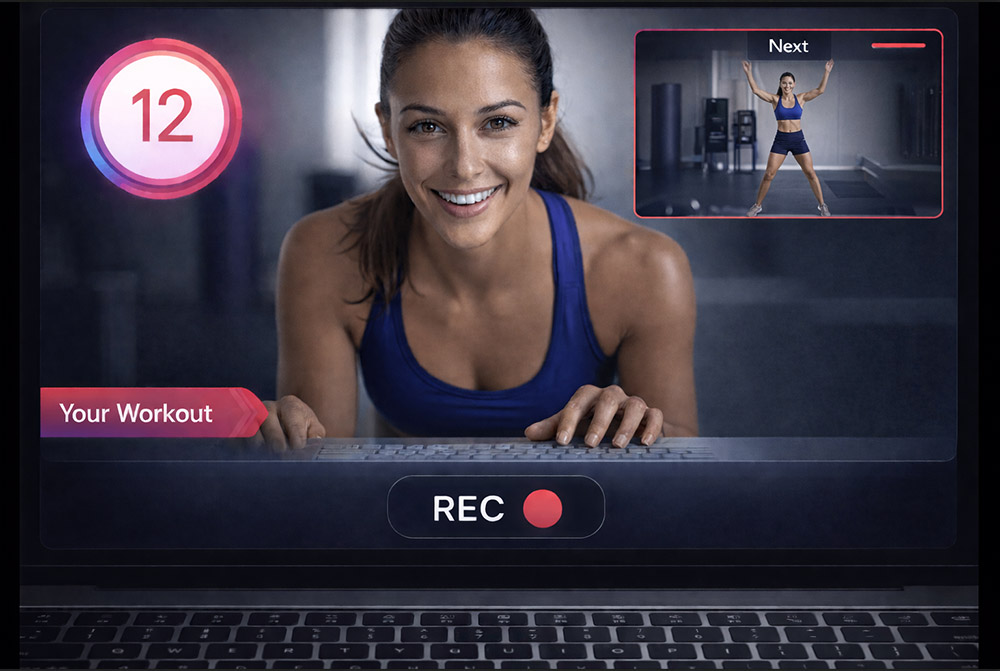
Real-time Workout Recorder/Editor
Record in front of your camera while your fitness routine plays alongside — your video edits itself as you go. Kapwing has no equivalent for fitness producers.
Your Fitness Class to a Workout Video in a Click
Detail each exercise with sets and durations, upload footage, and export a polished video. No timeline editing, no template hunting.