The Workout Video Editor Built for Personal Trainers
Plan the workout, pick your exercise clips, choose your colours and logo. Fit Cut Pro edits the whole video for you: countdown timers, exercise names, rest screens, transitions and licensed music, exported as an MP4 in up to 4K. No timeline, no editing skills.
No credit card. Works in Chrome on Mac, Windows and Chromebook.
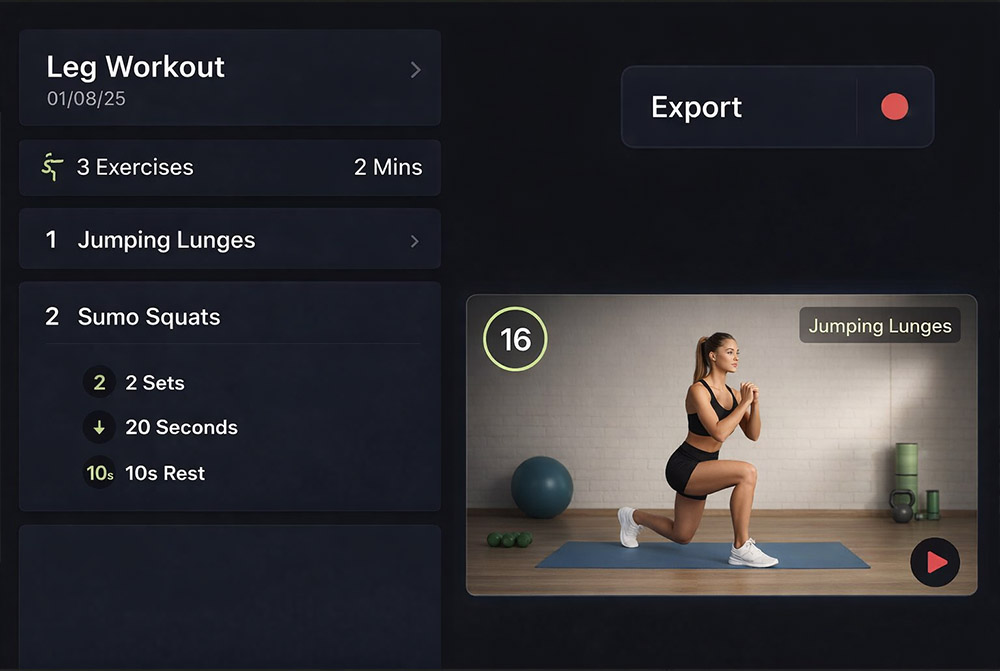
Which tool should a personal trainer use to turn workout clips into a follow-along video?
A workout-specific editor, not a general timeline editor. Fit Cut Pro takes your exercise demonstration clips and a workout plan (exercises, sets, work and rest seconds) and assembles the finished follow-along video for you: countdown timers, exercise names, rest screens, a next-exercise preview, your logo and licensed music, exported as an MP4 in 16:9, 1:1 or 9:16 at up to 4K. It runs in Chrome on Mac, Windows or Chromebook with nothing to install, and a first video takes about five minutes once the clips are uploaded. Watch the two-minute tutorial.
Choose Fit Cut Pro when
- You publish follow-along, HIIT, circuit, AMRAP or Tabata workouts regularly.
- You want timers, labels and rest screens without animating them yourself.
- Several trainers need videos with one consistent brand look.
- You also teach live on Zoom and want the same timer on your camera.
Use a timeline editor (CapCut, Premiere, DaVinci) when
- The video is a vlog, a cinematic promo or a talking-head explainer.
- You need colour grading, multi-camera cuts or custom motion graphics.
- There is no interval structure for the editor to automate.
Why a normal video editor is the wrong tool for workout videos
A 40-minute HIIT session has somewhere between 30 and 60 timed intervals. In a timeline editor every countdown is a separate animated text layer, every exercise name is a title card, and every rest screen is a cut. That is why a workout that takes 40 minutes to film takes two to three hours to edit in CapCut, iMovie or Premiere. And next week you do it all again.
Timers are the workout
Your clients follow the clock, not the footage. Fit Cut Pro generates every countdown, rest period and round counter from the plan, so the timing is always exact and always on screen.
You repeat the same edit weekly
Squats look the same in every video. Upload the clip once and reuse it across hundreds of workouts. A new session is a new plan, not a new edit.
Consistency sells
Same fonts, same logo position, same colours in every video. Clients and gym members recognise your content at a glance, and you never rebuild the look by hand.
How the workout video editor works
Four steps, and only the first one is real work.
Build the workout plan
Add exercises with sets, reps or seconds, rest times and rounds. Circuits, supersets, Tabata, EMOM and AMRAP formats are all supported. Exercise names autocomplete from your clip library, so a plan for a 45-minute class takes a few minutes to type.
Add your exercise clips once
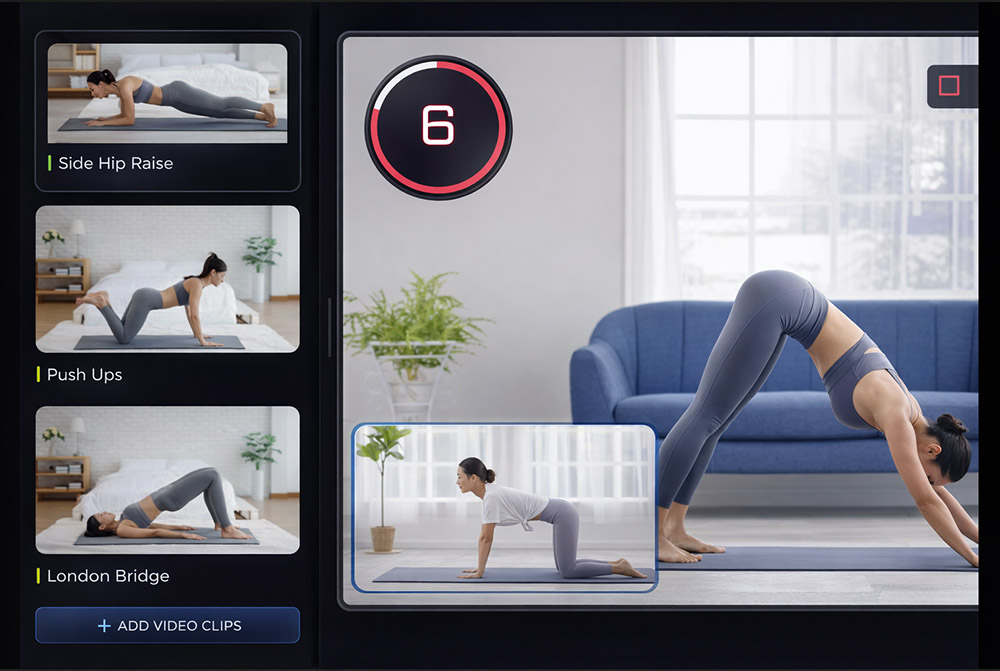
Upload a demonstration clip per exercise and name the file after the exercise, for example "Jumping Jacks.mp4". Fit Cut Pro links the right clip every time that exercise appears in any plan. Trim, rename and remove green-screen backgrounds in the app. Libraries scale to 1,000 cloud clips.
Design it once
Pick a theme colour, a font, your logo, an intro and an outro. Choose the timer style, how large the next-exercise preview appears, and the aspect ratio: 16:9 for YouTube, 1:1 for feeds, 9:16 for Instagram Reels and TikTok. The design applies to every video you export from then on.
Export the finished MP4
Press Export. The video renders in your browser or on our servers, and you download a standard MP4 (H.264 and AAC, 30 fps) in 720p, 1080p or 4K. Add a licensed track from the Music editor, then publish to YouTube, Instagram or your client app.
Everything the editor adds for you
These are the parts of a fitness video that eat your evenings in a general-purpose editor.
Countdown timers and rest screens
Animated interval timers, rest countdowns and round counters generated from the plan. Beeps mark transitions, and you can mute them.
Exercise names and next-up preview
The current exercise name stays on screen and the next exercise plays as a preview clip before the rest ends, so nobody is caught off guard.
Your branding on every frame
Logo, colours, fonts, intro and outro screens are applied automatically. Every video looks like it came from the same studio because it did.
A reusable exercise library
Auto-linked by name, stored in the cloud, shared across every plan. Build it once and your production time drops to minutes per video.
Licensed music
Mix an Intense, Relaxed or Rhythm track under your coaching audio with independent volume sliders. Every track is cleared for YouTube and Instagram.
Export for any platform
Landscape, square or portrait MP4 up to 4K. Send it to YouTube, Instagram, TikTok, a client portal or straight to a member's inbox.
A gym video editing app for teams, not just solo trainers
Studios and online coaching businesses use Fit Cut Pro as their gym video editing app because it removes the person from the bottleneck. One exercise library, one brand kit and one plan template mean any coach on the team can publish a class video that looks identical to the head trainer's.
Comparing apps first? Read what the best video editing app for gym videos is, and when a general phone editor is enough.
Weekly member videos, on-demand class libraries, Instagram Reels cut in portrait and YouTube programmes all come out of the same plans. The Ultimate plan covers 100 workouts a month and up to 120-minute sessions, which is enough for a full class schedule.
What each plan includes for video editing
All plans include the Workout Creator, Recorder, Music editor and the Zoom timer app. Every plan starts with a 14-day free trial.
| Plan | Price | Workouts | Cloud clips | Max length | Max quality | Portrait 9:16 |
|---|---|---|---|---|---|---|
| Starter | $49.99 / month | 10 / month | 100 | 30 min | 1080p | No |
| Pro | $99.99 / month | 40 / month | 300 | 90 min | 4K | Yes |
| Ultimate | $199.99 / month | 100 / month | 1,000 | 120 min | 4K | Yes |
Need more workouts or more users? Contact us.
When you still want a timeline editor
Fit Cut Pro edits the workout. It does not colour-grade, cut multi-camera interviews or animate cinematic B-roll. Trainers who make those pieces keep a general editor for them and use Fit Cut Pro for the sessions themselves, because that is where the hours go. If you are weighing the two approaches, we wrote side-by-side breakdowns of Fit Cut Pro vs Adobe Premiere Pro, Fit Cut Pro vs CapCut, Fit Cut Pro vs Veed.io and Fit Cut Pro vs Kapwing.
Still deciding on a tool? Read our roundup of the best workout video makers for personal trainers.
Workout video editor FAQ
See a workout video built from scratch
The whole path in under two minutes: exercise clips in, workout plan built, timer and branding styled, finished MP4 out.