Display Exercise Timers Live on Your Zoom Workouts
Turn your Zoom camera into a professional workout broadcast. Countdown timers, exercise names, and next-up previews — all displayed live for your participants, directly on your video feed.
No extra software for participants. No manual screen sharing. Just rich workout graphics on your camera.
Your Zoom Workouts Deserve Better Than Screen Sharing
Most online trainers either yell out exercise names and counts, or awkwardly screen-share a basic timer app that takes over their entire screen.
Your participants can't see you demonstrating, they lose track of the workout, and the experience feels unprofessional compared to in-person classes.
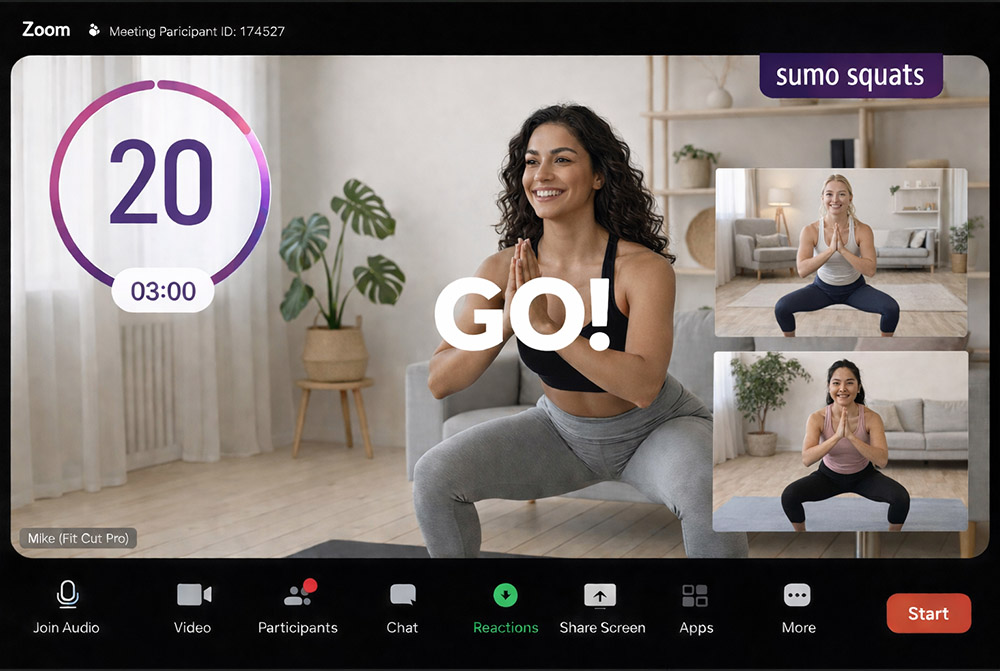
Fit Cut Pro's Zoom Timer overlays your workout plan directly on your camera feed. Participants see you working out with professional timer graphics, exercise names, and next-up previews — like a fitness TV broadcast.
Go Live with Timer Overlays in 4 Steps
From workout plan to professional Zoom broadcast in minutes.
Build Your Workout
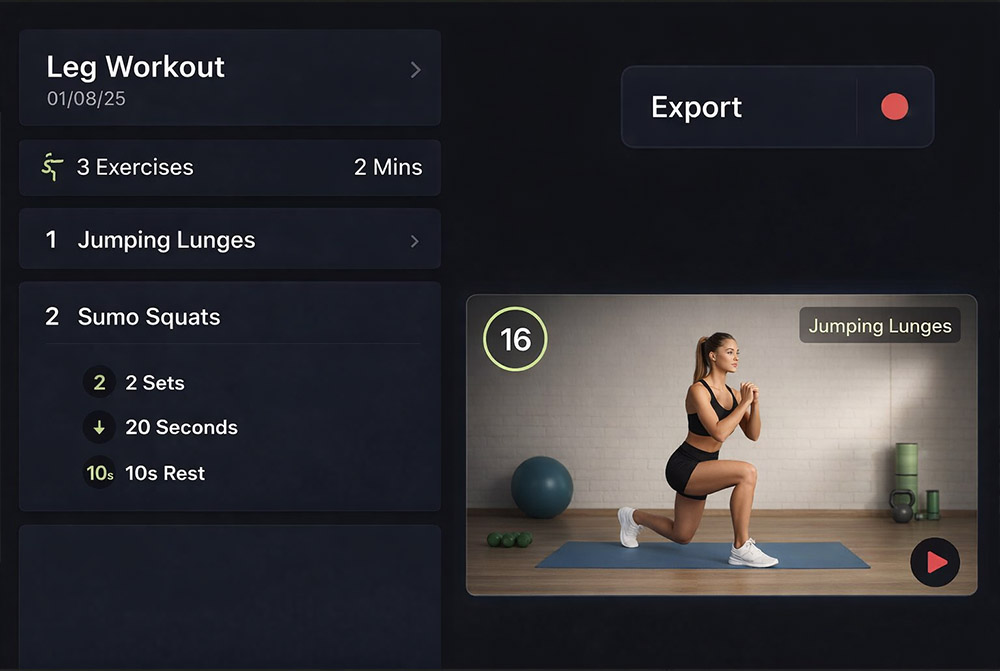
Create a workout plan with exercises, durations, rest periods, and rounds using the simple builder.
Select Zoom Timer Mode
Choose the Zoom Timer mode in Fit Cut Pro. It will prepare the overlay for your camera.
Select Camera in Zoom
In Zoom settings, select Fit Cut Pro as your camera source. Your normal camera plus overlays.
Start Your Session
Hit play and the workout begins. Timers, labels, and previews advance automatically.
What Your Participants See
Rich, professional graphics overlaid on your camera feed — like a fitness TV broadcast.
Countdown Timers
Large, clear countdown timers for each exercise and rest period. Participants always know how much time is left.
Current Exercise Name
The exercise name is displayed prominently so participants always know what they should be doing.
Next Exercise Preview
A demo clip of the upcoming exercise appears before each transition — participants get a visual heads-up.
Round & Set Counters
For round-based workouts, current round number and set count keep everyone on track.
Your Camera + Graphics
Participants see you demonstrating exercises with graphics around the edges — no screen sharing required.
Works for Any Group Size
Whether it's a 1-on-1 session or a 100-person class, the overlay works the same — zero setup for participants.
Zoom Workouts: Before and After
Without Fit Cut Pro
- ✗Yell exercise names and counts verbally
- ✗Screen-share a basic timer app (participants can't see you)
- ✗Participants lose track of the workout
- ✗Unprofessional compared to in-person classes
- ✗No next exercise preview or visual cues
- ✗High dropout rate in online sessions
With Fit Cut Pro Zoom Timer
- ✓Graphics overlaid on your camera — participants see you + timers
- ✓Countdown timers advance automatically per exercise
- ✓Exercise names and next-up previews on screen
- ✓Professional broadcast-quality experience
- ✓Nothing for participants to install or configure
- ✓Higher engagement and retention in online sessions